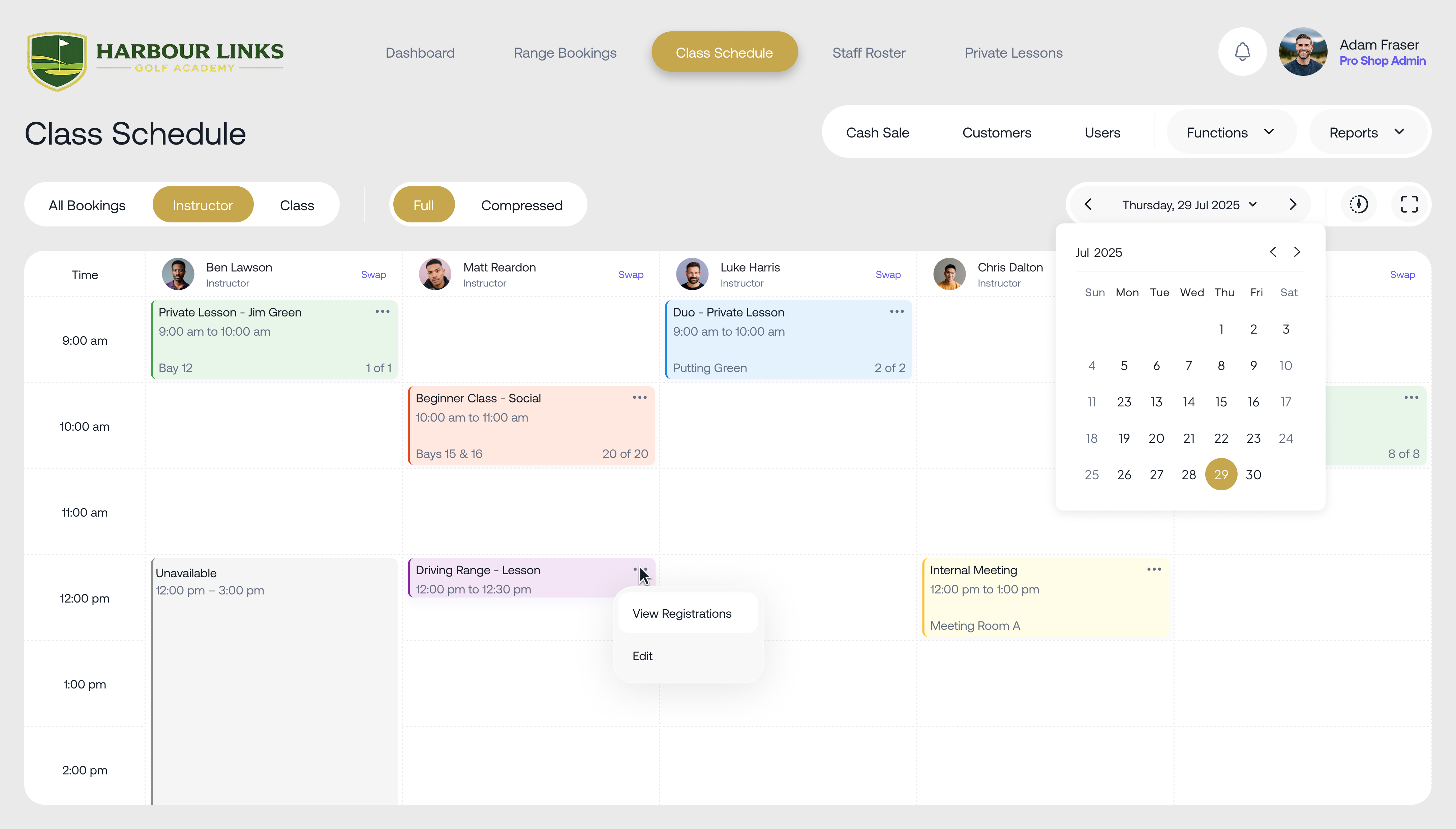
A colour-coded schedule
See every class, coach and venue on one screen, with class types colour-coded so you can tell them apart at a glance. Change anything in a couple of clicks.

Class scheduling software
Intrac's class scheduling software puts your whole timetable on one colour-coded screen. Families enrol, pay and book make-ups online, coaches see their classes on their phone, and your website updates the moment you save.
Running classes for swim schools, music schools and sports academies across Australia











If running classes means juggling spreadsheets, texts and a front desk queue, here's what changes with Intrac.
Families at Learn to Swim Victoria used to queue to re-enrol every term. Now terms roll over automatically, parents book make-ups online and teachers record assessments poolside.
Read the Learn to Swim Victoria storySet it up once. Intrac keeps the term running.
Add your classes, levels, class sizes, coaches and venues. Term programs, short courses and holiday programs all sit on the same colour-coded schedule.
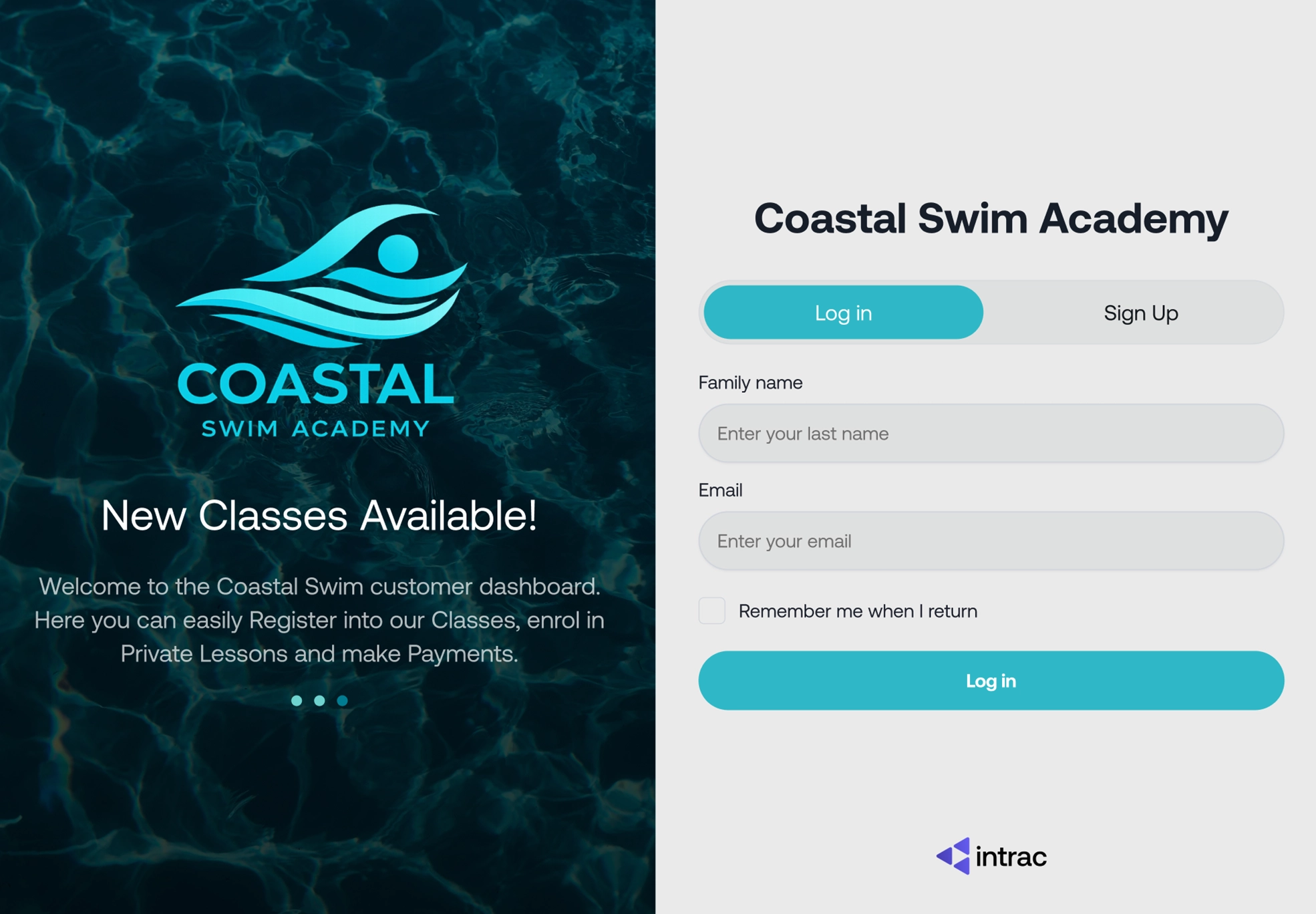
Your timetable shows on your website with live spots left. Parents enrol, pay and manage their bookings from your own branded customer dashboard.
Each coach sees their classes on their phone, marks attendance, adds notes and records assessments in a click. Certificates go straight to families.
Enrolments roll into the next term with notices to families, so there's no re-enrolment rush and no overbooked classes.
The parts of class scheduling that usually eat your afternoons, handled in one place.
See every class, coach and venue on one screen, with class types colour-coded so you can tell them apart at a glance. Change anything in a couple of clicks.
Set how make-ups work at your school. Families book their own, and only into classes with space.
Cap every class, track each student's level and stop overbooking before it happens.
Swap coaches between classes in seconds. Pay rates and payroll follow the roster.
Run each location with its own classes, prices and rules, and see all of them from one place.
Record levels with one click, add comments, and let families download certificates online.
Your timetable sits on your own website in your branding. Classes and spots left update the moment you save in Intrac.
Every school runs its timetable differently. Here's how three of them use Intrac.
Enrolment and payment take one or two clicks, instructors are allocated by set rules, and families book their own make-ups. Churn dropped sharply.
See their buildLesson programs run across several venues, each with its own make-up rules, and coach rosters flow straight into payroll.
See their buildMore than 50 programs across 3 locations. At check-in, parents get a pickup code that staff verify at home time.
Read their storyYour timetable connects to the rest of Intrac, so bookings, payments and staff all stay in step.
Class scheduling FAQs
Want to see it with your own timetable? Call 1300 468 000 or book a demo.
Book a demoClass scheduling software manages your timetable of classes, coaches and venues in one place and lets customers enrol and pay online. Intrac's class scheduling also handles make-up lessons, term rollovers, assessments and coach rosters for sports facilities, schools and academies.
Yes. Your timetable shows on your website with live spots left, and parents enrol, pay and manage their bookings from your own branded customer dashboard.
You set the rules, such as how many make-ups each family gets and which classes they can use. Families then book their own make-ups online, and only into classes that have space.
Yes. Each venue can have its own classes, prices and rules, and you manage every location from one Intrac login.
Yes. Every staff member has a portal on their phone with their roster, class details and payroll. They mark attendance, add class notes and record assessments in seconds.
Intrac rolls enrolments into the next term and sends notices to families, so there's no re-enrolment rush and classes don't end up overbooked.
Yes. Term programs, short courses such as four-week programs, and holiday programs all run on the same timetable, each with its own fees and options.
Book a demo and we'll walk you through class scheduling set up the way your school runs.

Intrac is an Australian owned and operated class & facility management system for sports facilities, schools and academies.
Talk to us
1300 468 000Local support from people who have run sports facilities themselves.
Book a demo© Intrac. All rights reserved.